VPN works in the browser but not in apps — why
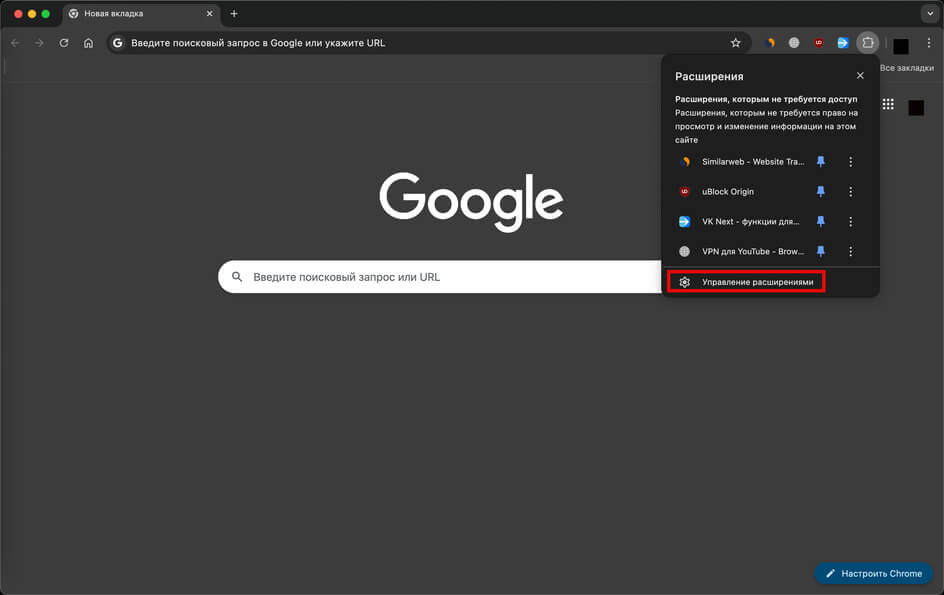
If websites open in the browser through a VPN, but apps (banks, marketplaces, messengers) do not, the reason is usually one of three things: you are using a browser proxy extension rather than a system VPN; split-tunneling is enabled in the system VPN and the app is excluded; or the app itself is cutting off the VPN through certificate pinning or an IP check.
The difference is fundamental: an extension in Chrome or Firefox modifies traffic only inside the browser. The rest of the system goes to the internet directly. A system VPN intercepts all traffic, but an app can bypass it too.
Below is how to determine exactly what is happening and what to change. At the same time, a check through Freedom Checker will show whether the app or service itself is down.
In short
- Browser VPN extensions (Chrome, Firefox) are proxies, not VPNs. They work only in the browser.
- Exclusions may be enabled in a system VPN (split-tunneling) — the app you need may be excluded.
- Many banking apps check the IP address and refuse access if it is not Russian.
- Certificate pinning blocks VPNs with TLS MITM inspection (Kaspersky VPN, corporate clients).
- On Android and iPhone, the VPN app settings and system settings can conflict.
Why this happens: main reasons
1. You do not have a VPN, but a browser extension
Extensions such as Browser VPN, Free Proxy, AdBlock VPN are HTTP/SOCKS proxies inside the browser. They redirect only the traffic of Chrome/Firefox tabs. When you open a native app — Telegram, Sber, Ozon — traffic bypasses them and goes directly through the system connection.
This works fine if the goal is to open a website. It does not work if you need to “send an app through the VPN.”
2. Split-tunneling in the system VPN
Most modern VPN clients have a split-tunneling function: “send only these apps through the VPN” or “exclude these apps from the VPN.” Banking and government apps may be excluded by default “for convenience.” It is worth checking the settings.
3. Certificate pinning and anti-VPN checks in apps
Serious apps (banks, exchanges, messengers) often implement certificate pinning: the app accepts a connection only with its server’s certificate that is hardcoded in advance. A VPN with TLS MITM inspection (for example, a corporate VPN or one with an adblock filter) replaces the certificate — and the app refuses to work. The result is “the internet works, but the app does not.”
A separate category is anti-VPN checks. Russian banks often block sessions from IP addresses that do not belong to Russia. This is not a VPN bug, but the app’s policy.
4. IPv6 / IPv4 conflict
If the VPN tunnels only IPv4, and the app tries to work over IPv6 (relevant for modern messengers and games), traffic bypasses the tunnel and is blocked on the service side. The solution is to disable IPv6 in the system or enable it in the VPN client.
How to understand what exactly broke
| Symptom | Possible cause | What to check |
|---|---|---|
| Websites open in Chrome, apps do not work | You have an extension, not a system VPN | Install a full VPN client |
| One website works in the browser, the others do not | The proxy filters domains | Change or disable the extension |
| All apps work except the banking app | Anti-VPN IP check | Disable the VPN for this app (split-tunneling) |
| The app says “certificate error” or “no connection” | Certificate pinning + MITM in the VPN | Disable TLS inspection or change VPN |
| Messengers with voice calls do not work through the VPN | UDP does not pass / IPv6 leak | Switch to a UDP-capable protocol, disable IPv6 |
| The website opens, but the mobile app of the same service does not | The app uses a different API domain | Check blocking through Freedom Checker |
How to check right now
First determine the type of protection: open the extension or app settings. If it is a browser extension (Chrome → Extensions → your VPN), it affects only the browser. If it is a separate app with the status “Connected” in the system tray or in the Android notification shade, it is a system VPN.
Freedom Checker will show whether the service you need is available in principle — this rules out the option that “the app itself broke.”
Failure or blocking?
If the app works without a VPN, but not with a VPN, this is not blocking, but a conflict between the app and the VPN. It is fixed by disabling the VPN for this app through split-tunneling.
If the app does not work either with or without a VPN, this is already domain/API blocking on the app side or a failure of the service itself. The VPN is not to blame here.
What to pay attention to
- Browser extensions and a system VPN are different tools; do not confuse them.
- In a system VPN, always check the list of exclusions (split-tunneling).
- Russian banks and Gosuslugi (Госуслуги) often require a Russian IP address — a VPN is harmful here.
- On Android, check whether “always-on VPN” and “block connections without VPN” are enabled in the system settings.
- On iPhone, make sure the correct profile is selected in Settings → VPN and Status = Connected.
- If DNS-over-HTTPS is used in the browser but not in the system, this explains why websites open in Chrome while apps do not.
- The situation may differ depending on the operator, region, and time of the check.
Conclusion
“The VPN works in the browser, but not in apps” is almost always a question of architecture, not blocking. Browser extensions fundamentally do not cover apps, while system VPNs can conflict with pinning and anti-VPN logic in banking/government services.
The correct solution is often not to “fix the VPN,” but to configure exclusions for specific apps and use a system VPN where it is actually needed.