Russian websites ask you to turn off your VPN — why this happens
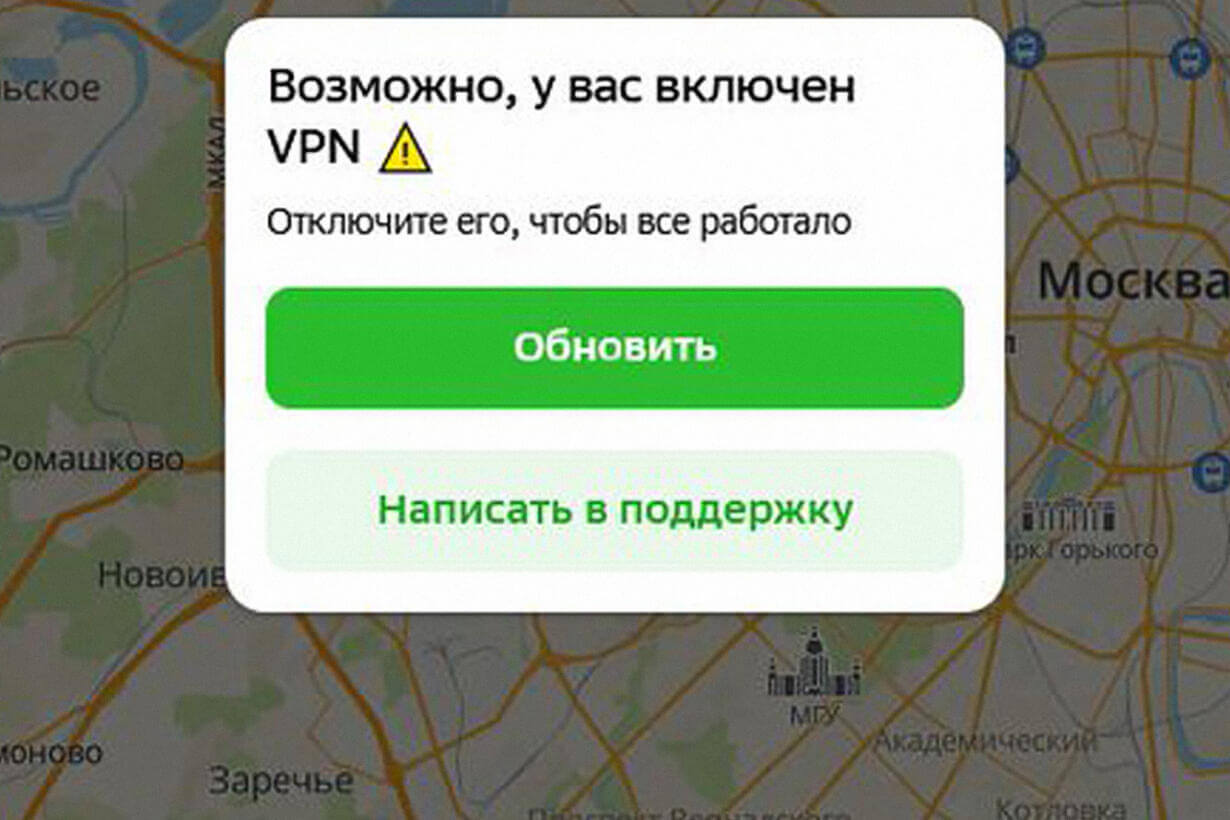
If a Russian website says “disable your VPN” or simply stops letting you into your account area, the reason is almost always the same: the service saw that you are connecting from a foreign IP address, and its anti-fraud system considered this suspicious. This is not a VPN block by Roskomnadzor, but a decision by the website itself.
Russian banks, marketplaces, government portals, and media services increasingly require users to connect from Russia. This makes it easier for them to distinguish a regular customer from an attempted account takeover, and easier to comply with their own security rules and payment restrictions.
A simple check helps determine whether the problem is really the VPN: whether the same site opens without a VPN, with another operator, and from another region. This is what Freedom Checker covers.
In short
- “Disable your VPN” is a decision by the website itself, not Roskomnadzor.
- The website sees a foreign IP address and blocks login for anti-fraud reasons.
- This behavior is most common with banks, Gosuslugi (Госуслуги), marketplaces, operators, taxi services, and media services.
- A convenient solution is split tunneling: the VPN stays on, but Russian websites go directly.
- If the site does not open even without a VPN, then it is already an outage or a block, not anti-fraud.
Why Russian websites do not like foreign IP addresses
When you connect a VPN, your traffic reaches the internet from the server’s IP address — most often European, Asian, or American. To a Russian website, this looks as if someone from abroad is trying to log in to the account. This is a rare and suspicious scenario, especially if all previous logins were from Russia.
Anti-fraud and account protection
A bank or marketplace anti-fraud system looks at dozens of signals at once: IP, device, browser fingerprint, usual login time, delivery region. A sudden change in the IP country is one of the strongest triggers. It is easier for the service to show a “disable your VPN” message than to risk falsely approving a fraudulent transaction.
Legal and payment restrictions
Some Russian services work only for users from Russia: subscriptions, delivery, payment by card from a specific bank, regional content. The website is required to, or decides on its own to, restrict access from foreign IPs, otherwise the product logic breaks — payment, bonuses, delivery geography.
Protection against automated requests
Public VPN servers are often used by scrapers, bots, and mass registration attempts. That is why many websites block or strictly filter IP ranges that belong to hosting companies and cloud providers. Ordinary VPN users also get caught by this filter.
How to understand what exactly broke
| Symptom | Possible cause | What to check |
|---|---|---|
| The website explicitly says “disable your VPN” | Anti-fraud detected a foreign IP | Whether the site opens without a VPN from the same device |
| A CAPTCHA appeared, or a “are you human?” check | The VPN server’s IP is on a hosting blacklist | Change the VPN server or temporarily disable it |
| The SMS code for the account area does not arrive | The website blocks login from a suspicious IP | Log in without a VPN, then turn it back on |
| Card payment is declined | The bank’s anti-fraud system reacts to a “foreign” login | Open the bank app without a VPN |
| The website hangs at the authorization step | The service deliberately does not serve the page from a foreign IP | Compare behavior with and without a VPN |
| The website does not open at all without a VPN | This is no longer anti-fraud, but an access restriction | Check availability through Freedom Checker |
How to check right now
The fastest way to understand what exactly is preventing login is to compare the site’s behavior under different conditions. With a VPN, without a VPN, with another operator, and from another region. If the picture differs, the problem is almost certainly anti-fraud or routing, not the website itself.
Through Freedom Checker, you can see whether a specific Russian service opens for different operators and in different regions. This helps separate the situation “the site does not let me in from my IP” from “the site does not work for anyone.”
Outage or block?
The message “disable your VPN” is not a block in the technical sense and not an outage. The site deliberately does not allow login from a suspicious IP, but the site itself remains live and available from a Russian address.
You should think about an outage if the page does not open at all, hangs until timeout, or returns a server error — regardless of whether the VPN is on or off. In that case, a check through Freedom Checker across different operators will show whether the problem is local or widespread.
What the user can do
- Open the needed website without a VPN — if everything works, the cause is definitely the IP.
- Enable split tunneling in the VPN app and add bank domains and Gosuslugi there.
- Change the VPN server country to the nearest one — sometimes this helps get away from a “dirty” IP.
- Do not log in to a bank with a VPN if there is no reason to — anti-fraud systems are calmer that way.
- If the site does not open even without a VPN, check availability with other operators.
- Remember that the situation can differ by operator, region, and time of checking.
Conclusion
“Disable your VPN” on a Russian website is a requirement from the service itself, not a technical block. Banks and large platforms choose to play it safe and allow the user in only from a familiar Russian IP address. From the website’s point of view, this is normal account protection.
If the problem looks like a block rather than anti-fraud, it is better to check it quickly. Freedom Checker will show whether the site opens for different operators and regions and whether the problem is related to the VPN server you are using.